
Google Analytics 4: A Beginner's Setup Guide for South African Small Businesses

Many business owners have Google Analytics installed on their site and have never actually opened it. Google Analytics 4, usually shortened to GA4, replaced the older Universal Analytics entirely, and its event-based structure works quite differently from what many people are used to.

What is Google Analytics 4
GA4 is Google's current analytics platform, built around tracking individual events rather than sessions and page views alone. Google's own GA4 overview explains the shift in more technical detail.
Getting the basics set up correctly
Connecting GA4 to your website
Most website platforms, including Wix, offer a straightforward way to add a GA4 measurement ID without touching code directly.
Setting up key events
Events that matter most to a business, such as a form submission or a completed purchase, usually need to be defined and marked as conversions manually.
Linking Google Search Console
Connecting Search Console to GA4 brings search query data into the same reporting view as visitor behaviour.
Reports worth checking regularly
Traffic acquisition, showing where visitors are coming from
Engagement, showing which pages hold attention and which are quickly abandoned
Conversions, showing how often key actions actually happen
User demographics and device data, showing whether the audience matches expectations
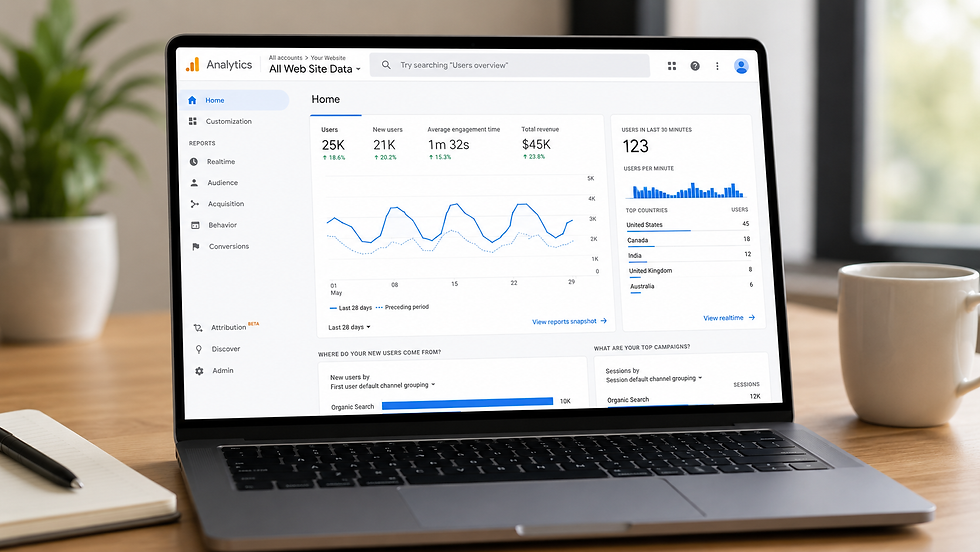
GA4 versus the old Universal Analytics
It is worth treating GA4 as a genuinely new tool rather than expecting it to behave like its predecessor with a different coat of paint.
A note on privacy
It is worth confirming that your privacy policy mentions Google Analytics specifically, and that cookie consent covers analytics tracking rather than only marketing cookies.
Common GA4 mistakes
Never defining which events count as a conversion
Setting it up once and not checking it again for months
Not filtering out internal or office traffic
Expecting the interface to work exactly like the old Universal Analytics
Conclusion
Google Analytics 4 can feel unfamiliar at first, but a correctly configured setup gives a much clearer picture of what is actually happening on a site than guesswork ever will. Need Help? Contact Aquawave Web Designs



Comments